
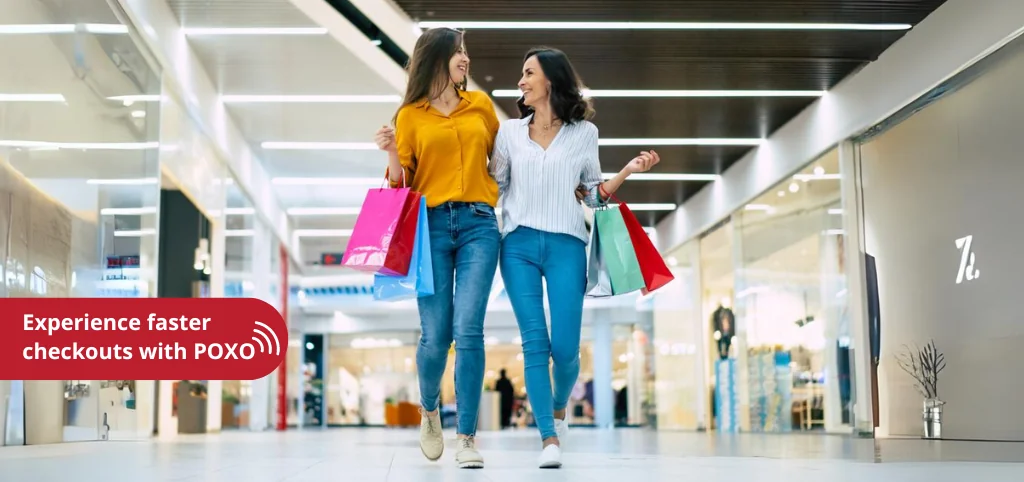
Ever wish you could magically pass the checkout line and teleport straight out of the store? While we haven’t quite figured out teleportation yet, POXO’s RFID technology is the next best thing.Are you ready to revolutionize your checkout experience? At POXO, we’re transforming the traditional checkout process with our cutting-edge RFID technology, making transactions faster, smoother, and more convenient than ever before. Say goodbye to manual checkout hassles and hello to the future of automatic and self-checkout systems.
ELEVATING CHECKOUT EXPERIENCES WITH RFID TECHNOLOGY
In today’s fast-paced retail environment, convenience is paramount. Consumers demand quick, efficient service, and businesses are seeking innovative ways to streamline operations. POXO’s RFID solutions are at the forefront of this shift, offering a seamless transition from manual checkout to automated and self-service systems.
HERE’S HOW RFID TECHNOLOGY IS CHANGING THE GAME
1. Effortless Self-Checkout: RFID technology allows customers to quickly and easily check out using self-service kiosks. With RFID tags on products, customers can simply place their items on a checkout station, and the system automatically scans and totals the purchase without manual input.
2. Enhanced Accuracy and Speed: Traditional manual checkout processes are prone to errors and delays. RFID technology eliminates these issues by providing accurate and rapid scanning of multiple items simultaneously.
3. Seamless Integration: POXO’s RFID solutions are designed to integrate effortlessly with existing systems. Our team provides comprehensive support to ensure a smooth implementation with minimal disruption.
4. Enhanced Customer Experience: The convenience of automatic and self-checkout systems powered by RFID technology not only speeds up transactions but also provides a more enjoyable shopping experience. Customers appreciate the ease of quick checkouts and the efficiency of automated systems, leading to higher satisfaction and repeat business.
WHY CHOOSE POXO?
At POXO, we are dedicated to providing solutions that not only address your immediate inventory management challenges but also contribute to your long-term success. Our team of experts will work closely with you to understand your specific requirements and tailor our RFID Readers and technology to fit seamlessly into your operations.We offer comprehensive support, from the initial consultation to implementation and ongoing maintenance, ensuring that you get the most out of our RFID solutions. Our goal is to empower your business with the tools you need to operate more efficiently and effectively.
READY TO TRANSFORM YOUR CHECKOUT EXPERIENCE?
Discover how POXO can help you to revolutionize the checkout process. Contact us to learn more about our solutions and how they can be tailored to fit your business needs
Thank you for considering POXO as your partner in innovation. We look forward to helping you enhance your checkout experience and delight your customers with our state-of-the-art RFID solutions.
How RFID Checkout Works: The Technology Explained
RFID-powered checkout is not a gimmick — it’s a fundamentally different approach to the checkout problem, enabled by the physics of UHF radio frequency identification. Understanding how it works clarifies why it’s dramatically faster than barcode-based checkout and what implementation requires.
The Bulk Read Advantage
Traditional barcode checkout requires one scan per item — each product must be oriented so its barcode faces the scanner, and the scanner beam reads it individually. RFID checkout eliminates this constraint entirely. A read antenna embedded in the checkout counter reads all RFID-tagged items placed on or above it simultaneously, regardless of orientation. Ten items on a checkout pad are read in under a second, with no manual positioning.
This bulk read capability is what makes self-checkout genuinely fast rather than merely manual-but-unassisted. The customer places their basket on the read surface, every item is identified instantly, and the total appears. No item handling, no orientation, no waiting for each beep.
How the Read Surface Works
A typical RFID self-checkout station uses one or more UHF RFID antennas embedded in the checkout surface or positioned to cover the check-out area. The antennas are connected to a fixed UHF reader, which drives the anti-collision protocol (Gen2 Q algorithm) to identify all tags in its field simultaneously.
The design challenge is containing the read zone — ensuring the reader reads items on the checkout surface but doesn’t read items still in the customer’s bag or on adjacent surfaces. Shielding, antenna placement, and read zone calibration all contribute to this containment. A well-designed RFID checkout station reliably reads everything placed on the surface while ignoring items that aren’t.
Integration with the POS System
The RFID reader’s output (a list of EPCs identified in the read zone) feeds into the Point of Sale (POS) system, which looks up each EPC against the product database to retrieve price, description, and any applicable promotions. The POS calculates the total and presents it for payment — the same flow as a conventional checkout, but with the scanning step replaced by an instantaneous bulk read.
For this integration to work correctly, every item in the store must carry an RFID tag with a unique EPC that is registered in the product database. The product database links EPC to SKU (price, description, promotions, tax category). This tag-to-product registration is part of the RFID system setup and is maintained as products are added or changed.
Beyond Checkout: RFID’s Full Role in Retail Operations
RFID checkout is the most visible consumer-facing application of RFID in retail, but it sits at the end of a broader RFID deployment that transforms the entire retail operation. Understanding the full scope shows why RFID checkout is most effective as part of an integrated retail RFID programme.
Inventory Accuracy: The Foundation
RFID checkout only works if items are tagged. But once items are tagged, the same tags that enable checkout also enable continuous inventory accuracy. Every item on the floor or in the stockroom carries its own unique identifier. Handheld RFID readers allow staff to count an entire section in minutes, and the stock count can be done daily rather than monthly.
This inventory accuracy is what makes “available in store” online promises reliable. It’s what enables efficient click-and-collect fulfilment. It’s what allows automatic replenishment alerts when shelf stock drops below threshold. The checkout application and the inventory accuracy application are two beneficiaries of the same tag programme.
Loss Prevention
RFID tags on individual items create a detailed record of item movements. An item that disappears from the system between its last legitimate scan (stockroom pick) and its first expected scan (sale or return) is a shrinkage event — and the system knows exactly which item, when it disappeared, and from which location.
This granular shrinkage visibility is more actionable than aggregate shrinkage figures. Instead of knowing that a category lost X percent to shrinkage last quarter, management knows which specific items were lost, when, and from which zone — enabling targeted loss prevention responses rather than broad interventions.
RFID at the Fitting Room
RFID-enabled fitting room management is a retail application that improves both customer experience and conversion. A reader in the fitting room identifies which items a customer brings in. This data enables staff assistance (a fitting room associate can see what’s in the room and suggest complementary items), restock management (items brought to fitting rooms but not purchased need to be returned to the floor promptly), and analytics (which items are frequently tried but not purchased — a signal about price, fit, or presentation).
Supply Chain Integration
For large retailers, RFID at the store is the downstream end of a supply chain RFID programme. When suppliers ship tagged goods, receiving verification at the DC or store happens automatically at dock-door portals. Shipment discrepancies are caught at receiving, not discovered on the shelf. The supply chain RFID data flows into the same inventory system as the in-store reads, giving a complete picture of stock from the warehouse to the fitting room.
Practical Use Case: RFID Self-Checkout in a Multi-Brand Apparel Store
A multi-brand apparel retailer with stores across India implemented RFID item-level tagging and self-checkout as part of a broader RFID retail programme. Before RFID, checkout queues during peak hours were a documented customer satisfaction problem, and manual inventory counts were taking four hours per store per month.
After deploying RFID item-level tagging across the range, POXO RFID self-checkout stations at six checkout points, and handheld readers for staff:
Checkout experience: Average time from customer arriving at checkout to payment prompt dropped from 2.5 minutes to under 40 seconds for a typical 5-item transaction. Customer satisfaction scores for checkout experience improved noticeably in the post-deployment survey.
Inventory accuracy: Daily RFID cycle counts replaced monthly manual counts. Inventory accuracy (match between system record and physical stock) improved from approximately 68% to over 97% within two months of deployment.
Loss prevention: The RFID system identified specific shrinkage events that were invisible in aggregate data — certain items in certain zones were disproportionately affected, enabling targeted loss prevention measures in those areas.
Stock management: Automatic low-stock alerts triggered replenishment from the stockroom before shelves visibly emptied, reducing lost sales from out-of-stock conditions.
The retailer found that the inventory accuracy improvement — independently of the checkout improvement — justified the RFID programme on its own. The checkout speed was a customer-facing benefit that drove satisfaction and repeat visit intentions.
RFID Checkout vs. Barcode Self-Checkout: A Comparison
| Feature | Barcode Self-Checkout | RFID Self-Checkout |
|---|---|---|
| Scanning method | One item at a time, manual | All items simultaneously, automatic |
| Item orientation | Must face scanner | Any orientation |
| Checkout time (5 items) | 60–120 seconds | 5–15 seconds |
| Error rate | Missed scans, mis-scans common | Near-zero read errors |
| Inventory benefit | None | Yes — same tags enable inventory tracking |
| Loss prevention benefit | None | Yes — item-level tracking |
| Infrastructure cost | Lower | Higher (RFID tags on all items) |
RFID self-checkout is not always the right choice for every retail format. The tag cost is higher than printing a barcode, and for low-value, high-volume commodity items, the tag cost may not be justified. RFID checkout is most compelling for mid-to-high-value fashion, electronics accessories, and similar retail categories where inventory accuracy and checkout speed both matter — and where the tag cost is a small fraction of the item value.
Implementation Guidance: Deploying RFID Checkout in Your Retail Store
Step 1 — Tag All Products
RFID checkout only works when all items carry RFID tags. The tagging programme needs to be comprehensive — if some items aren’t tagged, checkout staff must handle untagged items manually, disrupting the flow. Work with suppliers to receive tagged goods where possible, or establish an efficient in-store tagging station for goods that arrive untagged.
Step 2 — Build the EPC-to-Product Database
Every tag’s EPC must be linked to the product’s SKU in the POS and product database. This EPC-product association is typically established during the encoding/commissioning step — when the tag is printed and applied, the EPC and SKU are linked in the system. Maintaining this database as products change is an ongoing operational process.
Step 3 — Install and Configure Checkout Stations
RFID checkout stations require careful RF design — the read zone must cover the checkout surface reliably but not read beyond it. Antenna placement, shielding, and read zone testing are all part of the installation. POXO’s deployment team handles this engineering as part of the installation scope.
Step 4 — Train Staff on Exception Handling
Most transactions at an RFID checkout station are entirely automatic. But exceptions — untagged items, damaged tags, items placed outside the read zone — need a defined handling process. Staff should understand how to manually override, manually enter, or assist customers with exceptions without creating queues.
Step 5 — Monitor and Optimise
After go-live, monitor read rates (what percentage of items are being read first-time without intervention), checkout time averages, and exception rates. A well-tuned RFID checkout station should have near-perfect first-read rates. If read rates are lower than expected, investigate tag placement, condition, or read zone calibration.
Frequently Asked Questions
Can RFID checkout read items through packaging and bags?
UHF RFID reads through most non-metallic, non-liquid materials — cardboard, paper, plastic packaging, and fabric. Items in paper bags, soft packaging, or plastic containers are read reliably through the packaging. Metallic packaging (foil-lined bags, canned goods) requires on-metal or specialised tags. Liquids absorb UHF energy and can reduce read range for tags on liquid containers, which may require adjusted tag placement or specialised tags. POXO’s checkout deployment includes testing across the actual product range to confirm read performance before go-live.
Do customers need to remove items from their basket for RFID checkout?
It depends on the checkout station design. Some RFID checkout implementations read items while still in a shopping basket placed on the read surface — if the basket material is non-metallic and the tag density isn’t too high, bulk reads work reliably through the basket. Other implementations ask customers to place items on the read surface individually or in small groups. The right design depends on the store format, basket type, and product mix. For high-volume self-checkout, reading through the basket is the ideal customer experience and achievable with appropriate antenna design.
What happens if a customer removes an RFID tag from an item?
RFID security tags (EAS tags with RFID) can be designed to be tamper-evident — if the tag is removed or damaged, the next read of that tag returns a tamper flag. Additionally, EAS (Electronic Article Surveillance) functionality can be combined with RFID in a single tag — the EAS element triggers an alarm at store exit gates if not deactivated at checkout, regardless of whether the RFID chip has been removed. The combination of RFID (for inventory and checkout) and EAS (for exit gate protection) is the industry standard for loss prevention in high-theft retail categories.
POXO’s Retail RFID Solutions: From Checkout to Inventory Intelligence
POXO’s retail RFID programme delivers checkout transformation as part of a comprehensive retail intelligence platform. Our retail solution covers:
- Item-level RFID tagging — tag supply, encoding station design, and supplier tag programmes.
- RFID self-checkout stations — fixed checkout portals with integrated POS connection and EAS deactivation.
- Handheld readers for inventory — daily cycle counting, stockroom management, and receiving verification.
- Inventory management software — real-time inventory dashboard, low-stock alerts, and shrinkage reporting.
- RFID EAS integration — combining inventory RFID with exit gate loss prevention.
- Analytics — checkout time KPIs, inventory accuracy trends, and shrinkage analysis.
Every POXO retail deployment is scoped for your store format, product range, and operational team — not a generic template. We handle the full deployment lifecycle from tag selection and supplier onboarding through store installation, staff training, and post-launch optimisation.
If you’re ready to transform your checkout experience and unlock the full operational power of RFID inventory visibility, explore POXO’s retail management solution or contact our team for a store-specific consultation.